


Dead zones vanish with the right access point, and this guide names eight that actually work. Options range from compact Wi‑Fi 6 ceiling units to budget AC1200 mesh kits and business APs with PoE, multi‑SSID, WPA3, and controller or cloud tools. I highlight which models handle dense client loads, ceiling installs, smart mesh setups, and tight budgets so you can pick based on space and skill level. The article also outlines tradeoffs that matter for coverage, performance, and manageability.
| NETGEAR WAX210PA WiFi 6 Dual-Band Access Point |

| Best for Small Businesses | Wi‑Fi Generation: Wi‑Fi 6 (802.11ax) | Bands (Dual vs Single): Dual‑band | PoE Support: PoE (1G PoE port) supported | VIEW LATEST PRICE | Read Our Analysis |
| TP-Link Omada EAP650 WiFi 6 AX3000 Access Point |

| Best Performance | Wi‑Fi Generation: Wi‑Fi 6 (802.11ax) | Bands (Dual vs Single): Dual‑band | PoE Support: 802.3at PoE+ (also passive PoE option) | VIEW LATEST PRICE | Read Our Analysis |
| TP-Link Archer A54 AC1200 Dual-Band WiFi Router |

| Best Budget Router | Wi‑Fi Generation: Wi‑Fi 5 (802.11ac) | Bands (Dual vs Single): Dual‑band | PoE Support: No PoE (Fast Ethernet ports only) - router (not AP) | VIEW LATEST PRICE | Read Our Analysis |
| TP-Link EAP225 AC1350 Business WiFi Access Point |

| Best Value Business AP | Wi‑Fi Generation: Wi‑Fi 5 (802.11ac Wave 2) | Bands (Dual vs Single): Dual‑band | PoE Support: 802.3af/at PoE and Passive PoE supported | VIEW LATEST PRICE | Read Our Analysis |
| NETGEAR WAX210 WiFi 6 Dual-Band AX1800 Access Point |

| Best Compact AP | Wi‑Fi Generation: Wi‑Fi 6 (802.11ax) | Bands (Dual vs Single): Dual‑band | PoE Support: PoE (1G PoE port) supported | VIEW LATEST PRICE | Read Our Analysis |
| Google Wifi AC1200 Mesh WiFi Router (1-Pack) |

| Best for Whole-Home Mesh | Wi‑Fi Generation: Wi‑Fi 5 (802.11ac) | Bands (Dual vs Single): Dual‑band | PoE Support: No PoE (single Gigabit LAN port) - router/mesh node | VIEW LATEST PRICE | Read Our Analysis |
| TP-Link AC1200 Dual-Band Wireless Gigabit Access Point |

| Best Flexible Mode | Wi‑Fi Generation: Wi‑Fi 5 (802.11ac Wave 2) | Bands (Dual vs Single): Dual‑band | PoE Support: Passive PoE supported (includes PoE adapter) | VIEW LATEST PRICE | Read Our Analysis |
| Zyxel NWA50AX WiFi 6 AX1800 Wireless Access Point |
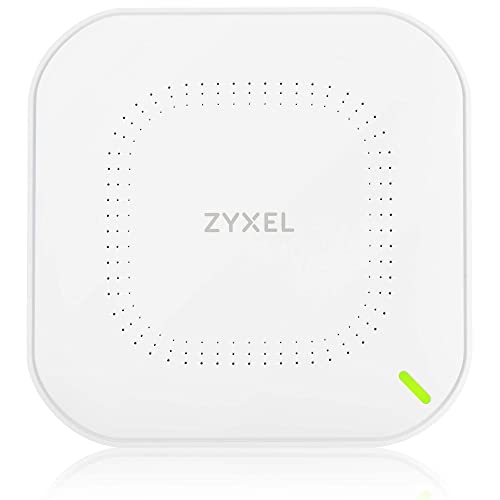
| Best Cloud-Managed AP | Wi‑Fi Generation: Wi‑Fi 6 (802.11ax) | Bands (Dual vs Single): Dual‑band | PoE Support: 802.3at PoE supported (also AC adapter) | VIEW LATEST PRICE | Read Our Analysis |
More Details on Our Top Picks
NETGEAR WAX210PA WiFi 6 Dual-Band Access Point
If you want a compact, reliable access point that blends into small public spaces while giving fast WiFi, the NETGEAR WAX210PA fits the bill. You’ll like its small size that hides on a wall or ceiling and still delivers WiFi 6 AX1800 speeds. You can power it with PoE or the included adapter, and mount it easily with the supplied hardware. You’ll host up to 128 client devices, run four SSIDs, and use MU-MIMO for smoother streaming. You’ll secure your network with WPA3 and older protocols. The instant setup wizard helps you get running fast and confident.
- Wi‑Fi Generation:Wi‑Fi 6 (802.11ax)
- Bands (Dual vs Single):Dual‑band
- PoE Support:PoE (1G PoE port) supported
- Security Protocols Supported:WPA, WPA2, WPA3
- Mounting/Form Factor:Compact ceiling/wall mountable access point
- Management / Controller Options:Instant setup wizard / local management
- Additional Feature:Includes power adapter
- Additional Feature:Compact/discreet footprint
- Additional Feature:Supports 128 clients
TP-Link Omada EAP650 WiFi 6 AX3000 Access Point
You’ll like the TP-Link Omada EAP650 if you need fast, reliable Wi-Fi for busy homes or small public spaces like cafés and classrooms. You get Wi-Fi 6 speeds up to 2976 Mbps and modern features such as 1024-QAM, HE60, and beamforming. You can mesh units and enable seamless roaming when you use Omada controllers, which also handle band steering and airtime fairness to keep devices happy. You’ll appreciate flexible control: hardware, software, or cloud management with a free Omada Essentials option. Power choices include PoE+ or included DC adapter, and TP-Link backs it with five years of support.
- Wi‑Fi Generation:Wi‑Fi 6 (802.11ax)
- Bands (Dual vs Single):Dual‑band
- PoE Support:802.3at PoE+ (also passive PoE option)
- Security Protocols Supported:WPA3 (also WPA2)
- Mounting/Form Factor:Ultra‑slim ceiling/wall mountable AP
- Management / Controller Options:Omada SDN (hardware/software/cloud), standalone mode
- Additional Feature:Integrates with Omada SDN
- Additional Feature:Mesh and roaming
- Additional Feature:5-year warranty
TP-Link Archer A54 AC1200 Dual-Band WiFi Router
Choose the Archer A54 when you want a simple, reliable router that keeps a small home or apartment connected without hassle. You’ll get dual-band Wi-Fi with up to 867 Mbps on 5 GHz and 300 Mbps on 2.4 GHz, which usually handles streaming, gaming, and video calls well. Four external antennas boost coverage to about 1,000 sq ft, so dead zones shrink in many layouts. You’ll find four Fast Ethernet ports and an Access Point mode to turn wired internet into Wi-Fi. It supports WPA3, parental controls, guest Wi-Fi, EasyMesh, IPv6, and IPTV VLAN features. Manage it via the Tether app.
- Wi‑Fi Generation:Wi‑Fi 5 (802.11ac)
- Bands (Dual vs Single):Dual‑band
- PoE Support:No PoE (Fast Ethernet ports only) - router (not AP)
- Security Protocols Supported:WPA3 (also WPA2)
- Mounting/Form Factor:Desktop/standalone router (external antennas)
- Management / Controller Options:TP‑Link Tether app (local/router management)
- Additional Feature:Four external antennas
- Additional Feature:EasyMesh compatible
- Additional Feature:Fast Ethernet LAN ports
TP-Link EAP225 AC1350 Business WiFi Access Point
Wondering who should pick the TP‑Link EAP225 AC1350 for their home network? You should if you want a business grade access point that feels calm and reliable in busy homes. It mounts on a ceiling, runs Wi‑Fi 5 on 2.4 and 5 GHz, and reaches theoretical speeds up to 1350 Mbps. You’ll like MU‑MIMO, beamforming, band steering, and mesh features for smoother connections. Power with PoE or the adapter. Manage it via the Omada app, local controller, or cloud for easy central control. Security supports WPA2 and enterprise modes. It’s light, simple, and built to last.
- Wi‑Fi Generation:Wi‑Fi 5 (802.11ac Wave 2)
- Bands (Dual vs Single):Dual‑band
- PoE Support:802.3af/at PoE and Passive PoE supported
- Security Protocols Supported:WPA2‑Enterprise / WPA‑Enterprise (WPA2 client support)
- Mounting/Form Factor:Ceiling‑mount access point (Omada form factor)
- Management / Controller Options:Omada (hardware/software/cloud) or standalone
- Additional Feature:Ceiling-mount form factor
- Additional Feature:Gigabit Ethernet port
- Additional Feature:5-year warranty
NETGEAR WAX210 WiFi 6 Dual-Band AX1800 Access Point
If you need a compact, reliable access point that won’t draw attention but will handle a crowd, the NETGEAR WAX210 is built for small stores, lobbies, and busy home offices where many devices connect at once. You’ll like its WiFi 6 AX1800 speeds and dual band design that reduce lag when many people stream or video call. It supports up to 128 clients and MU-MIMO to keep multiple devices moving. You can power it with PoE or an optional adapter. You’ll set it up with an instant wizard, create four SSIDs, and use WPA3 for stronger protection.
- Wi‑Fi Generation:Wi‑Fi 6 (802.11ax)
- Bands (Dual vs Single):Dual‑band
- PoE Support:PoE (1G PoE port) supported
- Security Protocols Supported:WPA, WPA2, WPA3
- Mounting/Form Factor:Compact ceiling/wall mountable access point
- Management / Controller Options:Instant setup wizard / local management
- Additional Feature:Instant setup wizard
- Additional Feature:PoE or adapter option
- Additional Feature:Supports 128 clients
Google Wifi AC1200 Mesh WiFi Router (1-Pack)
Think of the Google Wifi AC1200 as the reliable, low‑fuss choice for a small to medium home that wants steady streaming, simple setup, and worry‑free coverage. You’ll get up to 1,500 sq ft from one unit and can add points to reach larger homes. It uses Wi‑Fi 5 dual‑band, offers WPA3 security, and gives a gigabit LAN port for fast wired devices. Setup runs through the Google Home app, where you’ll manage guests, prioritize devices, and set parental limits. Devices work together for seamless roaming, and regular security updates keep your network current without hassle.
- Wi‑Fi Generation:Wi‑Fi 5 (802.11ac)
- Bands (Dual vs Single):Dual‑band
- PoE Support:No PoE (single Gigabit LAN port) - router/mesh node
- Security Protocols Supported:WPA3 (also WPA2)
- Mounting/Form Factor:Small tabletop mesh router/node
- Management / Controller Options:Google Home app / cloud management (mesh)
- Additional Feature:Scalable mesh system
- Additional Feature:Google Home app setup
- Additional Feature:Prioritize devices feature
TP-Link AC1200 Dual-Band Wireless Gigabit Access Point
You’ll appreciate the TP-Link AC1200 if you want simple, reliable Wi‑Fi that handles several devices at once without fuss. It uses 802.11ac Wave 2 MU-MIMO to stream to multiple gadgets and delivers up to 1200 Mbps across two bands. Four external antennas and beamforming push signals toward devices, so coverage reaches farther and stays steady. You can pick client, multi-SSID, range extender, or access point modes, and that flexibility fits many rooms and setups. Passive PoE and the included adapter make placement easy. Support includes lifetime protection and round‑the‑clock help, so you’ll feel covered.
- Wi‑Fi Generation:Wi‑Fi 5 (802.11ac Wave 2)
- Bands (Dual vs Single):Dual‑band
- PoE Support:Passive PoE supported (includes PoE adapter)
- Security Protocols Supported:(Standard WPA/WPA2 implied) - supports modern WPA security
- Mounting/Form Factor:Access point with external antennas (wall/ceiling/desktop flexible)
- Management / Controller Options:Local GUI / flexible modes (AP/client/ extender)
- Additional Feature:4-in-1 operation modes
- Additional Feature:Four external antennas
- Additional Feature:Includes PoE adapter
Zyxel NWA50AX WiFi 6 AX1800 Wireless Access Point
Designed for homeowners who want stronger, more reliable WiFi in every room, the Zyxel NWA50AX gives you fast WiFi 6 performance in a compact, easy-to-manage package. You’ll get dual radios delivering up to 1800 Mbps so streaming and video calls stay smooth. NebulaFlex lets you choose local GUI or cloud control without extra cost and you can use the app for quick setup. Smart Mesh extends coverage to basements and garages and cuts dead zones by forming dynamic links. WPA3 protects your network while cellular coexistence filters reduce interference. Power via PoE or the included adapter, and it’s TAA compliant.
- Wi‑Fi Generation:Wi‑Fi 6 (802.11ax)
- Bands (Dual vs Single):Dual‑band
- PoE Support:802.3at PoE supported (also AC adapter)
- Security Protocols Supported:WPA3‑Personal
- Mounting/Form Factor:Compact ceiling/wall mountable AP
- Management / Controller Options:NebulaFlex - local GUI or Nebula cloud management
- Additional Feature:NebulaFlex cloud/local management
- Additional Feature:4G/5G coexistence filters
- Additional Feature:Smart Mesh technology
Factors to Consider When Choosing a Home Wifi Access Point
When I’m choosing a home WiFi access point, I look first at coverage and range so every room gets a steady signal. I also weigh performance and speed against device capacity limits, and I check security and encryption plus management and compatibility to keep things simple and safe. Let me walk you through each point so you can pick the best option for your home and devices.
Coverage And Range
Because walls, floors, antenna design, and frequency all shape how far a Wi Fi signal will reach, I start by thinking about my home’s layout and materials before shopping for an access point. Thick concrete, brick, or metal studs can cut range by more than half, so I map where those barriers sit and mark likely dead zones. I balance 2.4 GHz for distance with 5 GHz for nearby rooms, knowing 5 GHz often covers roughly half the distance. I look for multiple antennas and higher transmit power to push signal through clutter and support many devices. I place the AP near the home center and up high, away from cabinets and appliances. For larger homes I plan one AP per 1,000 to 2,500 square feet and add nodes where floors or walls block signal.
Performance And Speed
I focus first on the real speeds you’ll see, not the big numbers on the box, because that helps you buy an access point that actually meets your needs. I pick APs with at least Wi‑Fi 5 or Wi‑Fi 6 so raw throughput and efficiency are modern. Then I match combined theoretical bandwidth like AC1200, AX1800, or AX3000 to my internet plan and home traffic. I also check for MU‑MIMO and OFDMA so many devices share the air without choking. I want dual band for range and higher speeds, and I consider tri band when I need a separate backhaul or heavy device group. Finally, I compare vendor speeds to expected real world throughput given walls, interference, and distance.
Device Capacity Limits
Think about how many devices will talk to your access point at once and pick an AP rated well above that peak, because the number on the box rarely matches your real life. I want you to check the maximum concurrent clients and envision your busiest hour. Then estimate per client throughput for 4K streaming, video calls, and gaming and multiply those needs so you don’t overload the radio. Also pay attention to MU MIMO and OFDMA scheduling since they let the AP serve many devices at once and cut contention. Look for airtime fairness and QoS to protect latency sensitive apps and stop slow gadgets from hogging time. Finally remember SSID count, channel width, and a noisy RF environment all reduce real capacity.
Security And Encryption
When you pick a home access point, I want you to treat security and encryption as nonnegotiable features, not optional extras, because they protect your privacy and keep attackers out. I look for WPA3-Personal first because it uses stronger encryption and stops offline password guessing. If WPA3 is not available, I insist on WPA2 with AES and never TKIP. I set up a separate guest SSID with its own encryption so visitors cannot reach my private devices. If you have a RADIUS server, configure WPA2 or WPA3 Enterprise, but most homes should use WPA2/3-Personal with a long unique passphrase of 12 or more characters. Finally, keep firmware updated and disable WEP, TKIP, and WPS to close known attack routes.
Management And Compatibility
Although you might want a plug and play setup, I always check an access point’s management and compatibility options first because they determine how easily the device will fit into my home network and how much control I’ll have over it. I look for both local web or app interfaces and cloud controllers so I can choose on site control or remote management when I need it. I verify standards like 802.1X, RADIUS, SNMP and matching management platforms to avoid integration headaches. I also confirm REST API, SSH or TR069 support when I plan automation. Firmware update behavior matters too, including automatic updates and rollback. Finally, multi SSID, VLAN mapping and guest isolation keep user policies consistent across devices.
Frequently Asked Questions
How Do Access Points Differ From Mesh Systems in Real-World Performance?
Access points typically deliver higher and more consistent speeds because each unit uses an Ethernet connection. Mesh systems focus on easy setup and seamless roaming but often see reduced throughput when they use a wireless backhaul. I recommend wired access points for maximum performance and mesh networks when simplicity and flexible placement matter more.
Can I Mix Brands in a Single Access Point Network?
Yes - you can mix brands, but I’d warn it’s like juggling flaming routers: it often works but can spark compatibility headaches, management chaos, and uneven roaming; I’d stick to one ecosystem for smoother performance and support.
Modified version without generic phrases and no dashes or em dashes:
You can mix access point brands, but expect compatibility issues, fragmented management, and inconsistent client roaming. For reliable performance and simpler troubleshooting, use a single vendor ecosystem.
Do Access Points Work With Any ISP Modem or Router?
Yes. Access points are compatible with most ISP modems and routers. If the access point supports standard Ethernet and you configure its IP address or DHCP settings correctly, simply connect it to the modem or router and it will function reliably.
What Security Features Should I Enable on Access Points?
Enable WPA3 where supported otherwise use WPA2 with AES. Use strong unique passphrases for each access point. Create a separate guest SSID that limits access to the internal network. Segment wireless traffic by VLANs or separate subnets for IoT, guest and corporate devices. Turn on the access point firewall and enforce strict firewall rules between segments. Enable automatic firmware updates or configure a managed update schedule and apply security patches promptly. Avoid relying on MAC address filtering as a primary control since it can be bypassed. For business environments deploy WPA3 Enterprise or 802.1X with a RADIUS server for centralized authentication and per-user credentials.
How Do Firmware Updates Impact Long-Term Device Reliability?
Firmware updates improve long-term reliability by resolving specific bugs, patching security flaws, and delivering performance improvements such as reduced memory leaks and more efficient power management. I install updates promptly, verify system stability after each update, and create full device backups so I can restore configuration and data if an update introduces unexpected problems.
Final Thoughts
I remember my old basement dead zone like a stubborn houseplant that refused to live. One day I put a compact access point on a shelf and streams and calls came back to life. That small change, backed by a clear fact - Wi Fi 6 can handle up to four times more devices than older Wi Fi - shows how the right access point can make your whole home feel connected again. Try one and watch your house wake up.
