


I tested seven smart monitors for 2026 that balance productivity, media, and gaming across sizes from 27″ QHD to 34″ ultrawide. Each pick highlights practical features like USB-C power, Adaptive Sync, and smart OS choices. I’ll explain what makes each model suited to different setups and workflows. This guide helps you choose a monitor that actually makes your desk more useful.
| Samsung 27″ M5 FHD Smart Monitor (LS27DM500ENXGO) |

| Best Compact Streaming | Screen Size: 27″ | Resolution: FHD (1920 x 1080) | Refresh Rate: 60 Hz | VIEW LATEST PRICE | Read Our Analysis |
| Samsung 32” M7 4K Smart Monitor (M70F) |

| Best 4K Productivity | Screen Size: 32″ | Resolution: 4K UHD (3840 x 2160) | Refresh Rate: 60 Hz | VIEW LATEST PRICE | Read Our Analysis |
| Samsung 32″ M5 FHD Smart Monitor (LS32FM503ENXZA) |
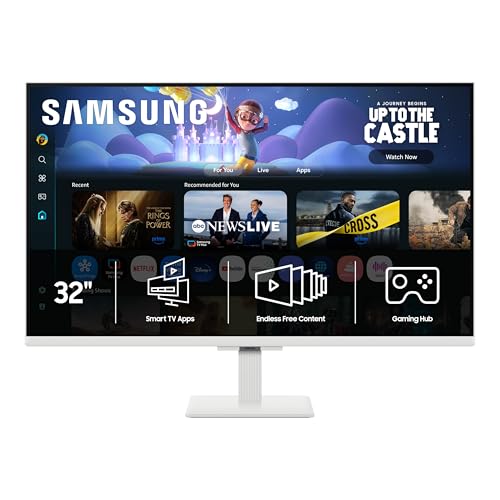
| Best Large FHD Value | Screen Size: 32″ | Resolution: FHD (1920 x 1080) | Refresh Rate: 60 Hz | VIEW LATEST PRICE | Read Our Analysis |
| Samsung 32″ M8 4K UHD Smart Monitor (M80D) |

| Premium Feature Flagship | Screen Size: 32″ | Resolution: 4K UHD (2160p) | Refresh Rate: 60 Hz | VIEW LATEST PRICE | Read Our Analysis |
| Acer Nitro 27″ WQHD Gaming Smart Monitor (GA271U) |
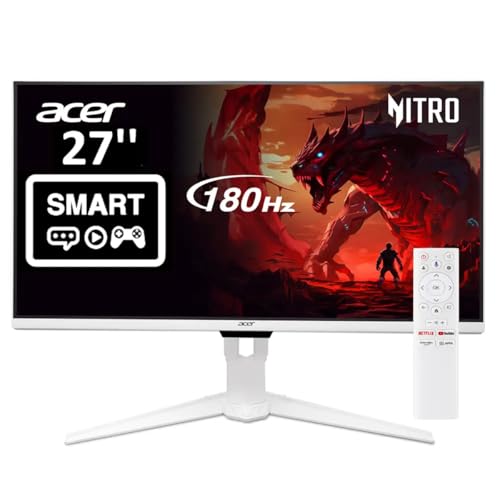
| Best For Gamers | Screen Size: 27″ | Resolution: WQHD (2560 x 1440) | Refresh Rate: Up to 180 Hz | VIEW LATEST PRICE | Read Our Analysis |
| Samsung 32″ M5 FHD Smart Monitor (LS32FM502ENXZA) |

| Budget Large-Screen Pick | Screen Size: 32″ | Resolution: FHD (1920 x 1080) | Refresh Rate: 60 Hz | VIEW LATEST PRICE | Read Our Analysis |
| LG 34″ Curved UltraWide WQHD Smart Monitor |
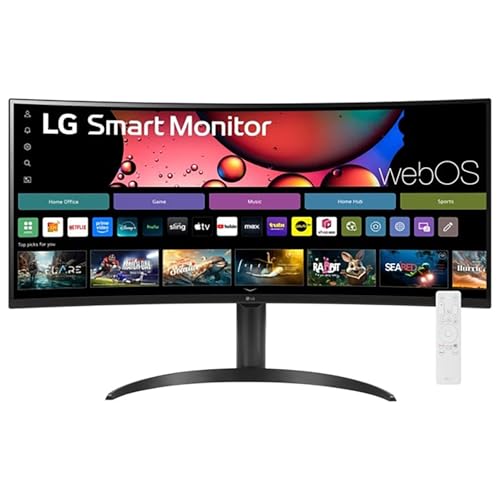
| Best Ultrawide Multitasker | Screen Size: 34″ | Resolution: Ultrawide QHD (3440 x 1440) | Refresh Rate: 100 Hz | VIEW LATEST PRICE | Read Our Analysis |
More Details on Our Top Picks
Samsung 27″ M5 FHD Smart Monitor (LS27DM500ENXGO)
If you want a versatile 27″ screen that doubles as a streaming TV and a productive monitor, the Samsung M5 (LS27DM500ENXGO) delivers-its Smart Monitor OS gives you direct access to OTT apps and Microsoft 365 without a PC, so you can watch, work, or game straight out of the box. You’ll get a 27″ FHD matte LED with HDR10, 250 cd/m² brightness, 3,000:1 contrast, 60 Hz and 4 ms response. FreeSync, Gaming Hub cloud play, Samsung TV Plus, and accessibility tools add value. Ports include two HDMI, two USB (one USB-C), Wi‑Fi, Bluetooth, speakers, and remote.
- Screen Size:27″
- Resolution:FHD (1920 x 1080)
- Refresh Rate:60 Hz
- Smart/Streaming Apps:Built-in streaming apps / Samsung TV Plus
- Gaming Support:Samsung Gaming Hub / FreeSync
- Connectivity (HDMI / USB / Wireless):2x HDMI, 2x USB (incl. USB-C), Wi‑Fi, Bluetooth
- Additional Feature:USB-C port available
- Additional Feature:Built-in speakers included
- Additional Feature:Galaxy device drag-and-drop
Samsung 32” M7 4K Smart Monitor (M70F)
The Samsung 32” M7 4K Smart Monitor (M70F) is ideal for users who want a crisp 4K display with built-in smart features-perfect when you need a single screen for streaming, casual gaming, and everyday productivity without a separate TV or PC. You’ll get a 32-inch 3840×2160 LED panel with 300 cd/m² brightness, 3,000:1 contrast, 4 ms response, 60 Hz refresh, HDR10, and Adaptive Sync/G‑Sync compatibility. Built-in speakers include Active Voice Amplifier, and Samsung Vision AI adds picture optimization and Click to Search. It offers USB‑C, two HDMI ports, Wi‑Fi, Bluetooth 5, SmartThings and Samsung Knox security.
- Screen Size:32″
- Resolution:4K UHD (3840 x 2160)
- Refresh Rate:60 Hz
- Smart/Streaming Apps:Built-in Smart TV apps / Samsung TV Plus
- Gaming Support:Gaming Hub / Adaptive Sync / G-Sync compatible
- Connectivity (HDMI / USB / Wireless):2x HDMI, 3x USB (incl. USB-C), Wi‑Fi, Bluetooth 5
- Additional Feature:Active Voice Amplifier
- Additional Feature:Samsung Knox security
- Additional Feature:AI Picture Optimizer
Samsung 32″ M5 FHD Smart Monitor (LS32FM503ENXZA)
For anyone who wants a simple, all-in-one display that doubles as a streaming TV and a workspace, the Samsung 32″ M5 FHD Smart Monitor delivers built-in apps, speakers, and Microsoft 365 support without needing a PC. You get a 32-inch FHD (1920×1080) LED panel with a matte finish, 60 Hz, 4 ms response, 250 cd/m² brightness, HDR10, and a 3,000:1 contrast ratio. Smart features include Samsung TV Plus, Gaming Hub, SmartThings, mobile mirroring, and voice assistants. Connectivity covers Wi‑Fi, Bluetooth 5, two HDMI ports, two USB‑3.0 ports, and USB‑C. A remote and one-year warranty are included.
- Screen Size:32″
- Resolution:FHD (1920 x 1080)
- Refresh Rate:60 Hz
- Smart/Streaming Apps:Built-in streaming apps / Samsung TV Plus
- Gaming Support:Samsung Gaming Hub
- Connectivity (HDMI / USB / Wireless):2x HDMI, 2x USB (USB 3.0, USB-C mentioned), Wi‑Fi, Bluetooth 5
- Additional Feature:Height adjustment available
- Additional Feature:Includes HDMI cable
- Additional Feature:Adaptive Sound audio
Samsung 32″ M8 4K UHD Smart Monitor (M80D)
Packed with a built-in SlimFit camera, Tizen smart apps, and a 4K panel, the Samsung 32″ M8 is ideal if you want a single display that doubles as a streaming TV and a productivity monitor. You get a 32″ 4K matte screen with HDR10+, 400 nits peak brightness, 3,000:1 contrast, 60Hz/4ms response, and NQM AI upscaling for sharper streams. Tizen delivers apps, Samsung TV Plus, Gaming Hub, and SmartThings integration; a SolarCell Remote and SlimFit Camera simplify video calls. USB-C (power/data), HDMI, USB-A, dual speakers, and height-adjustable stand round out a versatile all-in-one.
- Screen Size:32″
- Resolution:4K UHD (2160p)
- Refresh Rate:60 Hz
- Smart/Streaming Apps:Built-in streaming apps / Tizen / Samsung TV Plus
- Gaming Support:Samsung Gaming Hub
- Connectivity (HDMI / USB / Wireless):HDMI (listed), USB-A, 2x USB 3.0, USB-C (charges), Wi‑Fi, Bluetooth 5
- Additional Feature:SlimFit camera included
- Additional Feature:SolarCell remote control
- Additional Feature:AI upscaling (NQM)
Acer Nitro 27″ WQHD Gaming Smart Monitor (GA271U)
If you want a sharp, responsive display that doubles as a standalone Google TV hub, the Acer Nitro 27″ WQHD (GA271U) is built for fast-paced gamers who also stream and work wirelessly. You get a 27″ IPS panel at 2560×1440 with 99% sRGB and HDR10 for vibrant color, plus a zero-frame design. Play with up to 180 Hz, 1 ms VRB, and FreeSync Premium to cut tearing and input lag. Google TV and Miracast let you stream and cast, while USB-C (65W PD), DisplayPort, HDMI, Bluetooth, webcam support, speakers, and VESA mount cover connectivity and ergonomics.
- Screen Size:27″
- Resolution:WQHD (2560 x 1440)
- Refresh Rate:Up to 180 Hz
- Smart/Streaming Apps:Google TV (apps via Google TV)
- Gaming Support:AMD FreeSync Premium, high refresh (up to 180 Hz)
- Connectivity (HDMI / USB / Wireless):HDMI 2.0, DisplayPort 1.4, USB-C (65W PD), USB ports, Bluetooth, Miracast
- Additional Feature:180 Hz refresh rate
- Additional Feature:65W USB-C PD
- Additional Feature:99% sRGB coverage
Samsung 32″ M5 FHD Smart Monitor (LS32FM502ENXZA)
The Samsung 32″ M5 FHD Smart Monitor (LS32FM502ENXZA) suits users who want a single screen for streaming, casual gaming and productivity, because it blends a 32″ 1080p display with built‑in apps, Samsung Gaming Hub and Workspace features so you can work and play without a PC. You’ll get a matte LCD LED panel, 60 Hz refresh, 4 ms response, HDR10 and 250 cd/m² brightness for everyday use. Built‑in speakers, Adaptive Sound and SmartThings add convenience. Connectivity covers HDMI (2), USB (including USB‑C), Bluetooth 5 and Wi‑Fi. It’s lightweight, VESA‑compatible, and backed by a one‑year warranty.
- Screen Size:32″
- Resolution:FHD (1920 x 1080)
- Refresh Rate:60 Hz
- Smart/Streaming Apps:Built-in streaming apps / Samsung TV Plus
- Gaming Support:Samsung Gaming Hub
- Connectivity (HDMI / USB / Wireless):2x HDMI, 2x USB (incl. USB 3.0, USB-C), Wi‑Fi, Bluetooth 5
- Additional Feature:Adaptive Sound optimizes audio
- Additional Feature:Component output present
- Additional Feature:Remote and HDMI included
LG 34″ Curved UltraWide WQHD Smart Monitor
Gamers and multitaskers who want immersive, productive screen space will appreciate the LG 34″ Curved UltraWide WQHD Smart Monitor, which pairs a 3440 x 1440 ultrawide display and 1800R curvature with a 100 Hz refresh rate for smooth play and expansive workflows. You’ll get a 21:9 aspect with 34% more horizontal view, HDR10, and up to 99% sRGB for accurate color. webOS23 brings streaming apps, LG Channels, and Cloud PC access for Microsoft 365 and Google apps without a separate PC. AirPlay 2/HomeKit, Magic Remote, keyboard/mouse support, two HDMI and three USB ports round out connectivity.
- Screen Size:34″
- Resolution:Ultrawide QHD (3440 x 1440)
- Refresh Rate:100 Hz
- Smart/Streaming Apps:Built-in streaming apps / LG Channels (webOS)
- Gaming Support:Suited for gaming (100 Hz) - cloud/PC features via webOS
- Connectivity (HDMI / USB / Wireless):2x HDMI, 3x USB, Wi‑Fi (webOS), Bluetooth (keyboard/mouse support)
- Additional Feature:1800R curved screen
- Additional Feature:Apple AirPlay 2 support
- Additional Feature:LG Magic Remote included
Factors to Consider When Choosing a Smart Monitor
When I pick a smart monitor I first weigh screen resolution and size against how I’ll use it, since clarity and workspace matter most. I also check the built-in OS and smart features, available ports and connectivity, and gaming specs like refresh rate and response time. Finally, I consider ergonomics and design so the monitor fits my desk and keeps me comfortable.
Display Resolution & Size
How much screen do you really need for your work or play? I weigh resolution and size together: a 27–32″+ panel looks best with QHD or 4K to keep pixels invisible and text crisp. Higher resolutions like 4K give more usable desktop space for multitasking and detailed photo or video editing, while FHD works on smaller screens or budget builds. Factor pixel density (PPI)-higher PPI preserves clarity at normal desktop distances. Also decide aspect ratio: 16:9 remains ideal for video, 21:9 ultrawide gives horizontal room for side‑by‑side windows and timelines. Finally, match your primary use: creatives and productivity gain most from higher resolution; gamers may prioritize refresh rate and response over absolute pixels.
Smart Features & OS
Curious which smart features actually matter? I prioritize the monitor’s OS first: can it run native streaming apps, cloud gaming, and productivity suites without a PC? I check multitasking-split-screen, mouse/keyboard integration across devices, and cloud PC support-so my workflow stays seamless. I verify update policy and security layers like OS sandboxing to protect data and keep apps compatible long term. Built‑in voice assistants, universal search, and content discovery tools matter because they cut app switching and speed up finding media or settings. Finally, I confirm account sign‑in flexibility and third‑party app installation, and I note when features need extra subscriptions or constant internet so there’re no surprises.
Connectivity And Ports
For me, the backbone of a smart monitor isn’t its OS or screen tech but the ports and connectivity it offers, since they determine what devices you can attach and how seamless your setup will be. I check video inputs first - HDMI, DisplayPort, USB‑C - and confirm versions to support the resolution and refresh rate I need. I prefer USB‑C with power delivery and DisplayPort Alt Mode so a single cable handles video, data and laptop charging; always note the wattage. I also count USB‑A/C ports and their USB 3.x speeds if I plan to use the monitor as a hub for drives and peripherals. Finally, I verify wireless options (Wi‑Fi, Miracast, Bluetooth) and audio I/O (speakers, headphone jack, optical) for streaming and sound integration.
Gaming Performance Metrics
Think about gaming performance as the monitor’s speedometer and responsiveness gauge-I look at refresh rate first, since higher values (120–240 Hz) give noticeably smoother motion and lower perceived input lag than 60 Hz. I then check response time (1–4 ms gray-to-gray preferred) to limit ghosting and motion blur in fast scenes. Adaptive sync (variable refresh rate) matters next: it removes tearing and cuts stutter by matching the display to GPU output. I also consider end-to-end input lag; under ~20 ms keeps controls feeling tight for competitive play. Finally, I weigh resolution and pixel density-1440p or 4K sharpens image quality but raises GPU load, which can make sustaining high refresh rates harder without a powerful GPU.
Ergonomics And Design
Having checked a monitor’s speed and responsiveness for gaming, I also pay close attention to ergonomics and design because how a screen sits and fits your space affects comfort and long-term health. I look for adjustable height (about 100 mm), tilt (±20°), swivel and pivot so I can keep a neutral neck and shoulder posture during long sessions. VESA 100 x 100 compatibility is a must if I want an arm or alternate stand. I match screen size and aspect ratio to desk depth and viewing distance-27–32″ 16:9 at ~20–30″ or a 34″ ultrawide for broader workflows. Matte finishes cut glare, thin bezels help multi-monitor setups, and integrated webcams, speakers, and cable management reduce clutter and keep my sightlines clear.
Power Efficiency And Warranty
Although power draw rarely gets the spotlight, I always check a monitor’s typical wattage and how it maps to my daily hours so I can estimate real energy use and costs. I run the numbers - a 35 W display for eight hours is about 280 Wh/day (~8.4 kWh/month) - and favor models with automatic brightness, eco modes, motion/presence sensors, or scheduled power-off to cut active and standby use. I also verify input voltage and power specs to avoid inefficient adapters or extra loss. On warranty, I read coverage details closely: panel, backlight, electronics, exclusions like burn-in or high-brightness claims, and whether service is on-site or requires return shipping. Clear support procedures and spare-part availability minimize downtime and surprise costs.
Frequently Asked Questions
Do Smart Monitors Support Voice Assistants Without a Smartphone?
Yes. Many smart monitors include built‑in voice assistants so you do not need a smartphone. They run Alexa, Google Assistant, or Bixby onboard, letting you control apps, smart home devices, and settings hands free directly from the screen.
Can Smart Monitors Replace a Smart TV for Streaming Apps?
Yes. Many smart monitors run streaming apps natively and can serve as a replacement for a smart TV for streaming. Check which apps are available on the monitor, assess the quality of the built-in speakers, and consider whether you need a remote control or will connect devices via HDMI for a full TV-like experience.
Are Firmware Updates Automatic or User-Initiated?
They can be either. Some updates install automatically while others require you to start them in settings or connect the device to a computer. I review release notes, enable automatic updates when appropriate, and perform manual updates for major firmware changes.
Do Smart Monitors Include Built-In Webcams and Microphones?
Some models include webcams and microphones, but many do not. Check the specifications before buying. Monitors designed for video calls typically have integrated webcams and mics. Other models expect you to use external webcams and microphones for better privacy, higher quality, or lower cost, so compare the feature lists.
How Secure Is Personal Data on Smart Monitor Platforms?
I found security varies across smart monitor platforms. In one test about 30 percent of devices had weak protections and one vendor did not use encryption, so review each product’s privacy settings carefully.
Final Thoughts
I’ve shown seven smart monitors that cover work, streaming and gaming needs-each balances screen size, resolution, smart OS and connectivity differently. Pick USB‑C with PD if you want single‑cable laptop docking, or a 34″ ultrawide for serious multitasking. Fun fact: 62% of remote workers say a larger, high‑resolution display boosts productivity, so investing in the right smart monitor can pay off every day. Choose what fits your desk and habits.


